 Proudly Made in America


Your phone already has a camera and a screen you know how to use. A compatible dash cam app can bring road recording into that familiar device. A reliable everyday setup still starts before the vehicle moves.
Check mounting, power, available storage and actual recording behavior. Whether you are researching an Android dash cam app or an iPhone dash cam app, those practical details matter more than a long feature list.
Start with the supported phone and app release
Read the app’s current device and operating-system requirements. Check whether your exact phone and intended camera setup are supported. Do not assume that two apps with similar descriptions have the same camera, background or storage behavior.
For OcuRide, Android is the initial early-access focus. iPhone availability and supported camera configurations will be announced separately. Searching for an iPhone dash cam app should not be taken as confirmation that an OcuRide iPhone release is available today.
Give the camera a stable, clear view
Choose a secure mount suited to the phone and vehicle. Position it within the applicable rules where you drive, with a clear camera view and without obstructing your view, controls or airbag areas. Check the vehicle and mount instructions.
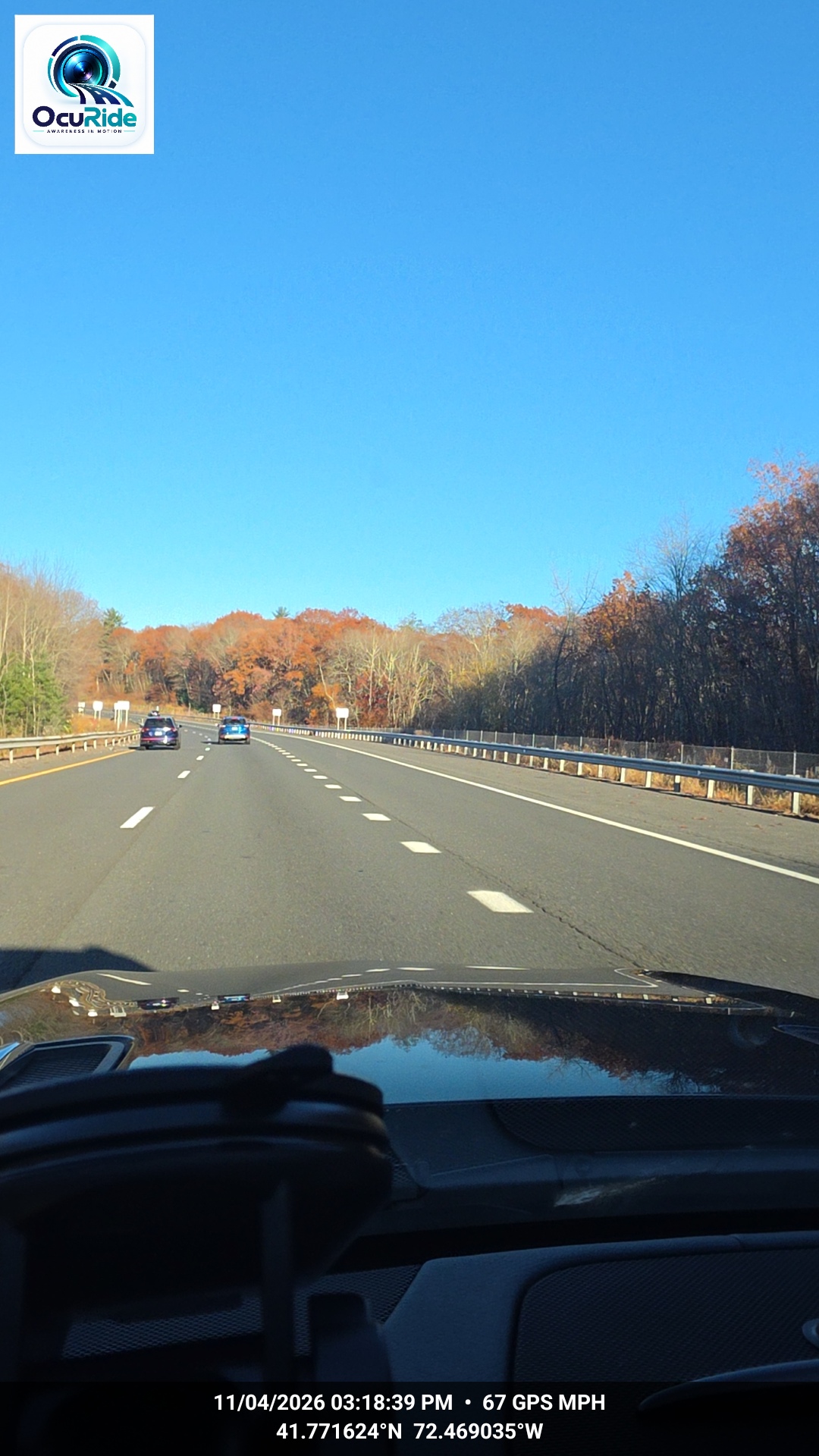
Before moving, look at a test frame. A mount can be secure while the camera sees mostly the dashboard, a pillar or a reflection. Check the actual recorded view, not just the phone’s position.
Recheck the setup after changing phones, cases or mounts. Small physical changes can change the lens position or how securely the phone is held.
Plan power and operating conditions
Use an appropriate power connection for the phone and follow its manufacturer’s guidance. Route the cable so it does not interfere with driving or become loose around the controls.
Check the phone’s condition during a stationary test and follow any temperature warnings. If the device pauses or stops recording, investigate while safely parked. Do not assume that a charging symbol also confirms an active recording session.
Know where the files go
Check free storage and the app’s retention settings. Learn where saved clips appear and how to export them. If optional sync is available, understand its connection requirements and how a completed transfer is shown.
A useful preparation exercise is to record a short, ordinary journey, stop safely, then find and play a clip. If you plan to keep a separate copy, test that step too. The OcuRide storage and sync guide explains why local recording and a completed backup are separate stages.
Test the way you actually use the phone
While parked, check what the app does when you change screens, lock the phone or use another feature you expect to need. Check the product’s supported behavior rather than assuming recording continues through every interruption.
After a safe test drive, confirm that the expected footage exists. Review clarity, framing and access. If your setup includes additional cameras, test each view and verify which recordings were actually saved.
Make the routine easy to repeat
- Mount the phone and connect suitable power before moving.
- Check the camera view, recording status and available storage.
- Set any supported options while parked.
- Leave controls alone while driving.
- Review and retain useful footage after stopping safely.
A phone-based setup should make recording approachable, while still giving you clear checks. The goal is a routine you can understand and repeat, rather than one you have to troubleshoot on the road.
What to explore in OcuRide
OcuRide brings smartphone road recording together with saved moments, trip replay and a vehicle document Wallet. Begin with the recording and trip replay guide, then review current early-access information for platform and configuration details.
Questions drivers ask
Can I use an old Android phone as a dash cam?
Possibly, if the phone, operating system, battery condition and app release meet the product requirements. Test your exact setup; age alone does not establish compatibility.
Can I use navigation and a phone dash cam together?
That depends on the phone and the app’s supported behavior. Check the current instructions and test safely while parked before relying on simultaneous use.
Capture the road. Keep the useful moments. Revisit the journey. Explore OcuRide and request early access.
Android is a trademark of Google LLC. iPhone is a trademark of Apple Inc. OcuRide is not affiliated with Google or Apple.