 Proudly Made in America

Dashcam storage and cloud syncing describe different steps. A video can be recorded on a phone before it is copied anywhere else. Understanding where a file is saved and whether a transfer completed is more useful than treating cloud backup as a single promise.
Local dashcam storage is the starting point
Local recording saves a file on the device. The available space and the supported recording workflow affect what can be kept. A local file and a successfully transferred copy are different things.
Can a dash cam app record without internet?
Capturing video on a device and uploading video are different operations. A phone dash cam app may store recordings locally, while maps, account access or cloud backup have separate connectivity requirements. For OcuRide, offline behavior and the features available without a connection will be explained for supported releases; do not assume every part of the experience works offline.
Will cloud backup free space on my phone?
A completed upload does not, by itself, explain what remains on the phone. Before deleting a local recording, check that the destination contains a usable copy and understand the product’s deletion and retention behavior. OcuRide’s release information will explain supported storage controls. Automatic cleanup and loop recording should not be treated as the same thing as cloud sync.
Sync is a separate transfer
A sync workflow connects files on the device with another destination. OcuRide’s development direction includes a Google Drive connection and syncing when Wi-Fi is available. That is a useful direction for bringing recording and storage choices together.
A successful connection alone does not prove that every file type, phone state or interrupted transfer works reliably. The released experience needs to explain the supported files and how a user can check that a transfer completed.
Critical events need their own explanation
Ordinary Wi-Fi syncing does not establish what happens during a critical event. Instant cellular upload, automatic crash triggers, transfer times and recovery after a damaged phone are separate capabilities. This website does not present those as verified.
Questions to look for before using a release
- Which recordings or documents can sync?
- Which connection and account permissions are needed?
- How can you tell that a transfer completed?
- What happens if Wi-Fi or the destination account is unavailable?
- What is the supported behavior for marked events?
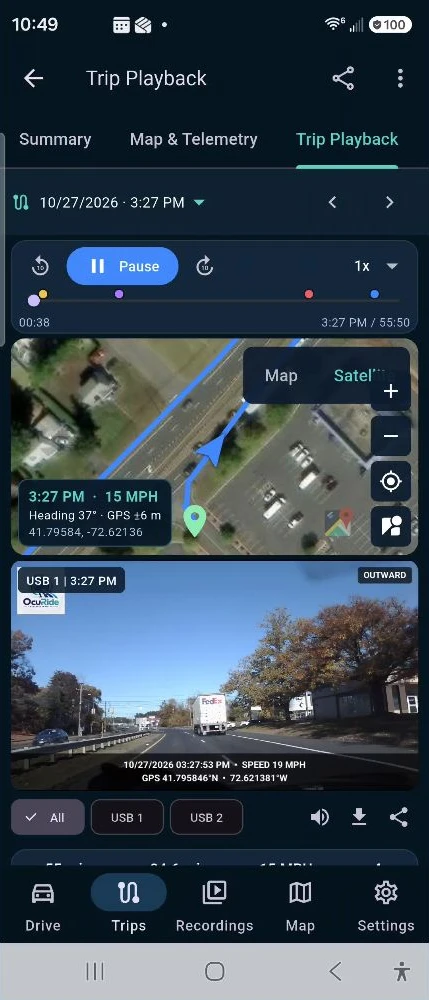
The website shows the storage direction as an illustrative workflow, not a completed end-to-end backup demonstration. Release information should answer these questions before people depend on a specific setup. Explore storage and sync or register for OcuRide updates.
Check the destination, not just the connection
Google’s Drive upload guide for Android explains uploading files and Wi-Fi transfer settings in the Google Drive app. Those instructions describe Drive itself; OcuRide’s supported transfer workflow will be explained with the release. An account connection, a queued upload and a completed copy are different states.
For the wider picture, read about smartphone dashcam recording and trip replay or vehicle document scanning. You can also register interest in OcuRide updates.