 Proudly Made in America

A registration renewal, an insurance expiry and an inspection date can sit in three different places. When you need a document, the search often begins with a folder, an email or a photo buried in the phone. A useful vehicle document wallet brings those records and dates together.
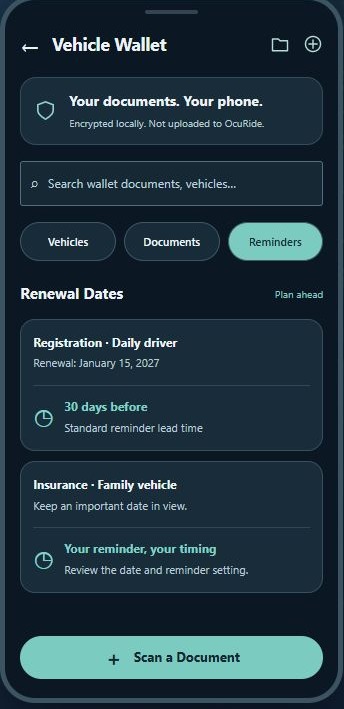
OcuRide Wallet brings vehicle documents and renewal reminders into one place. Photograph a document, review the suggested information, assign it to the right vehicle and keep the electronic original alongside the details you have checked.
Vehicle records are the starting point for a broader Wallet vision: a central place for important documents and the dates connected to them. Additional document categories are part of the future direction; the current workflow described here focuses on vehicle records.
Start your vehicle document wallet with a photo
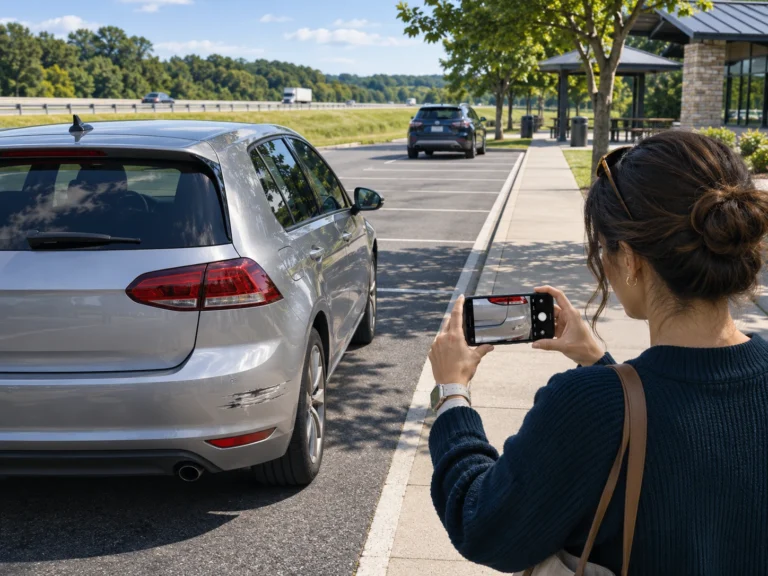
Registration, insurance and inspection or emissions records contain useful information that would otherwise need manual entry. OcuRide Wallet uses a document photo to suggest its category and extract relevant details.
The practical benefit is less typing. A person still reviews the result. The aim is to reduce repeated entry while keeping the vehicle owner in control of the information that is saved.
Review the important fields
Check the suggested document type, vehicle, identifiers and dates against the original. A clear photo helps, but it does not remove the need for review.
If information is missing, a placeholder gives you a place to complete or correct it. Do not treat an empty or suggested field as a verified fact. Review any date carefully before using it for a reminder.
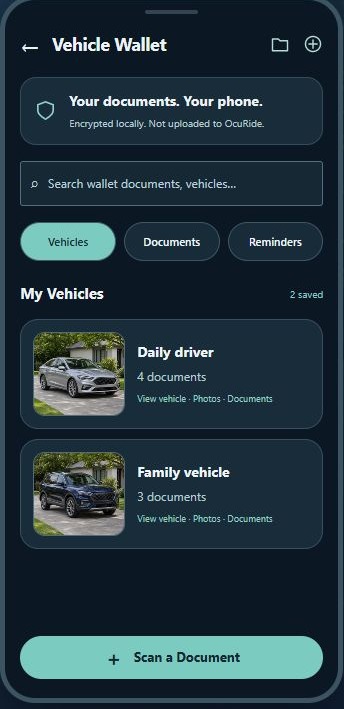
For a multi-vehicle household, assignment matters as much as extraction. A correct insurance date on the wrong car is still a problem. OcuRide lets the person assign or reassign the document to the vehicle it belongs to.
Keep the electronic original and reviewed details together
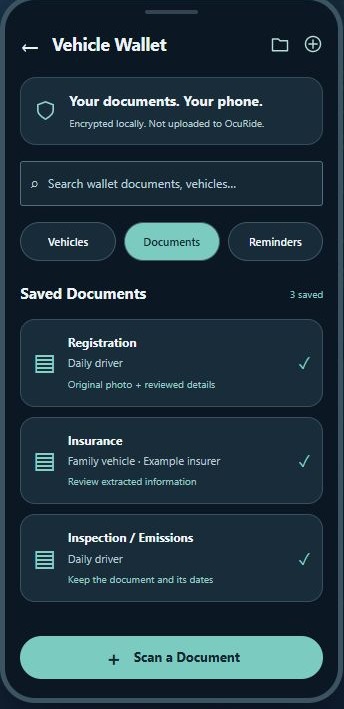
A summary helps you find information quickly. The electronic document lets you return to the source and review what it actually says. OcuRide keeps the document copy alongside its reviewed extracted information.
That is useful when you want to check a renewal date, identify which vehicle a record belongs to or locate the original without searching through unrelated photos.
Electronic document acceptance depends on the document, jurisdiction and situation. Check the applicable requirements and keep any required physical originals. A Wallet copy does not automatically replace every document you may need to carry.
Bring renewal dates forward
A date is most useful when you have time to act on it. OcuRide’s standard reminder lead time is 30 days before the relevant date, with timing the user can review and set.
After saving a document, check the reminder date and the phone’s relevant notification settings. Review the saved renewal information when a replacement document arrives, so the record reflects the current document rather than a previous term.
A reminder supports your routine. It does not complete the renewal itself. Keep track of the actual insurer, agency or inspection process you need to follow.
A repeatable scan-to-reminder routine
- Capture: take a clear photo of the full document.
- Review: compare the suggested category, details and dates with the original.
- Assign: choose the correct vehicle, or correct a placeholder assignment.
- Save: keep the electronic document and reviewed information together.
- Remind: confirm the lead time and review the saved reminder.
The time saving comes from avoiding repeated typing and searching: review a scan, keep it with the right record and return to the details when you need them.
More useful between drives
Road recording helps preserve the view from a journey. Wallet addresses the everyday records around the vehicle. Together, they give a smartphone vehicle companion a role even when there is no incident and no video to recover.
Read the OcuRide Wallet and renewal reminder guide for the published overview, then explore current early-access information.
Questions drivers ask
Does vehicle document scanning mean I never need to type?
It can reduce manual entry, but you should review, correct and confirm the extracted details. Missing fields and unclear source documents may need additional input.
Can one Wallet organize documents for more than one vehicle?
OcuRide’s vehicle-based workflow lets the person assign and reassign documents to the right vehicle. Review each assignment and its dates when saving a record.
Capture the road. Keep the useful moments. Revisit the journey. Explore OcuRide Wallet and request early access.